Managing a server efficiently requires knowing the right commands. Whether you are monitoring disk space, handling Docker containers, or checking network information, a few quick commands can save you hours of troubleshooting. In this guide, we’ll cover the 10 most useful server commands every system administrator and DevOps engineer should know.
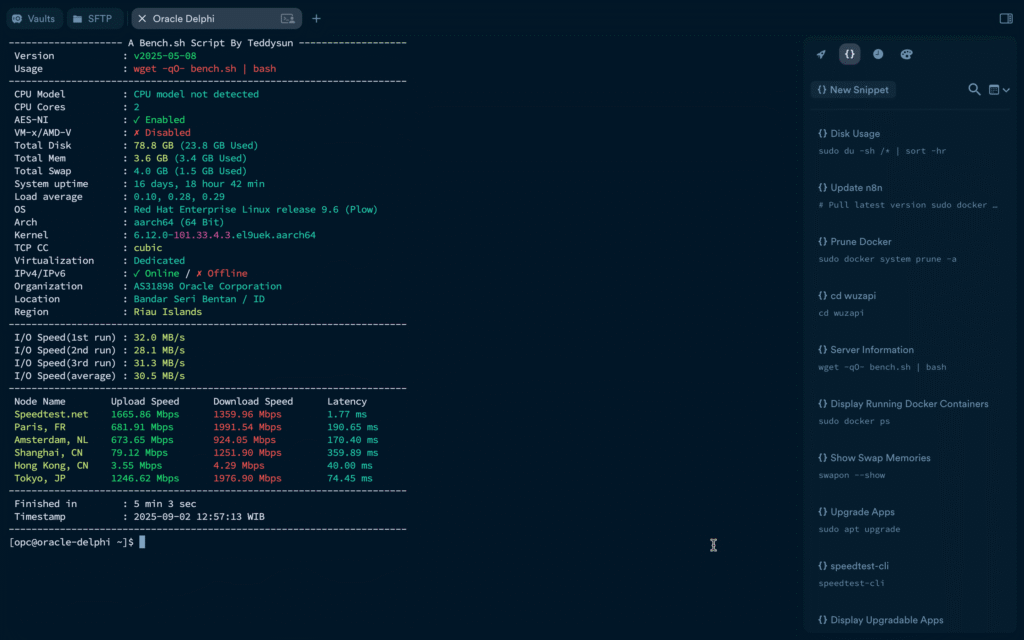
1. Check Disk Usage
df -h
This shows disk space usage across all mounted file systems in human-readable format (MB/GB). It’s the fastest way to see which partitions are filling up.
2. Check Disk Usage
du -sh /var/log/*
Use this to find out which directories are consuming the most space. Perfect for tracking down large log files or temporary files.
3. Display Running Processes
top
The top command gives you a live view of CPU, memory, and process usage. For a more modern interface, try:
htop
4. Display Running Docker Containers
docker ps
This shows all active Docker containers, including their names, IDs, ports, and status. To also see stopped containers, use:
docker ps -a
5. Prune Unused Docker Resources
docker system prune -a
This removes unused containers, networks, images, and cache. It’s a quick way to free up disk space but use it carefully in production.
6. Show Docker Disk Usage
docker system df
Similar to df -h, but specifically for Docker. It displays the space used by images, containers, and volumes.
7. Check Server Information and Benchmark
wget -qO- bench.sh | bash
This script quickly provides CPU, memory, storage, and network performance benchmarks. A handy way to test new VPS or dedicated servers.
8. List ARP Table (Find IP and MAC Address)
arp -a
The arp -a command lists the IP addresses and corresponding MAC addresses currently in your ARP cache. It’s useful for mapping devices in the same local network.
9. Ping and Resolve Host IP
ping -c 4 example.com
Not only does ping test connectivity, it also resolves the IP address of the target domain. Replace example.com with the host you want to check.
10. Find MAC Address of Network Interfaces
ip link show
This command shows all network interfaces and their MAC addresses. It’s especially useful when configuring static IPs or troubleshooting network issues.
Final Thoughts
These server commands cover essentials like disk monitoring, Docker management, and network discovery. By mastering them, you’ll be able to keep your servers healthy, optimized, and secure.
Whether you’re running a cloud VPS, bare-metal server, or containerized applications, these commands will make your daily operations faster and more reliable.
Leave a Reply